
The Ultimate Guide to Using Loops in Music Production
Unlock the potential of loops in music production with our comprehensive guide. Discover what loops are, how they enhance tracks, and expert tips for seamless integration. Elevate your sound and streamline your creative process today!
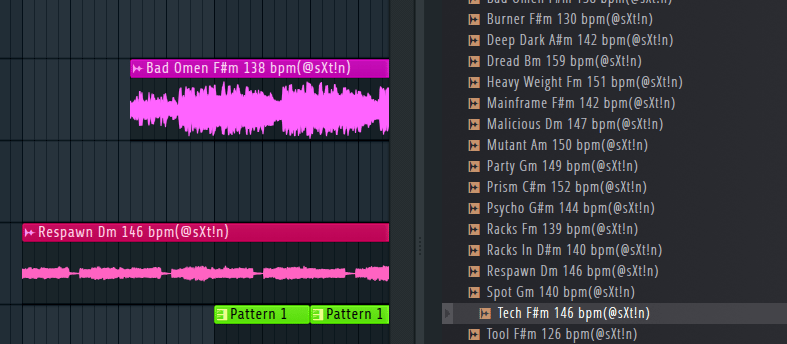
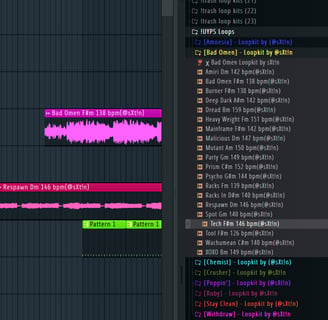
Welcome to our comprehensive guide on harnessing the power of loops in your music production journey. Whether you're a seasoned producer or just starting out, loops can be a game-changer in crafting your sonic landscape. In this post, we'll dive deep into what loops are, how they can elevate your music, and offer expert tips on integrating them seamlessly into your tracks.
What are Loops? Loops are pre-recorded snippets of music, typically ranging from a few seconds to several bars in length, that can be repeated seamlessly. They cover a wide range of musical elements, including melodies, rhythms, basslines, and percussion patterns. Loops are commonly used in various genres, from electronic dance music to hip-hop, pop, and beyond.
How Loops Enhance Music Production:
Instant Inspiration: Loops provide instant inspiration by offering ready-made musical elements that you can build upon. They serve as a creative springboard, sparking new ideas and accelerating the composition process.
Professional Sound Quality: Loops are often created by seasoned producers and musicians, ensuring high-quality recordings and expertly crafted musical elements. By incorporating loops into your tracks, you can achieve a professional sound without the need for extensive studio equipment or musical expertise.
Versatility and Flexibility: Loops are incredibly versatile and can be easily manipulated to fit your track's tempo, key, and style. Whether you're layering multiple loops, chopping and rearranging them, or applying effects, the possibilities for experimentation are endless.
Time-Saving: Using loops can significantly reduce the time spent on music production, allowing you to focus on other aspects of your creative process, such as arrangement, mixing, and mastering. This time-saving benefit is especially valuable for producers with tight deadlines or limited resources.
Tips for Incorporating Loops Effectively:
Choose Quality Over Quantity: Select loops that align with your artistic vision and maintain a consistent level of quality throughout your track. Avoid overcrowding your arrangement with too many loops, and prioritize those that contribute meaningfully to the overall composition.
Blend with Original Content: Blend loops seamlessly with original musical elements to create a cohesive and unique sound. Experiment with layering, blending, and processing to integrate loops into your tracks while retaining your signature style.
Customize and Personalize: Don't be afraid to customize loops to suit your needs. Adjust parameters such as tempo, pitch, and timing to align with your track's requirements. Adding effects, modulation, and automation can further personalize loops and make them your own.
Experiment and Iterate: Music production is a journey of exploration and discovery. Experiment with different combinations of loops, arrangements, and effects to uncover new sonic possibilities. Iterate on your ideas, refining and honing them until you achieve the desired result.
Stay Legal and Ethical: Ensure that you have the necessary rights and permissions to use loops in your tracks, especially if you're using commercially available loop libraries or sample packs. Respect copyright laws and licensing agreements to avoid legal issues down the line.
Conclusion: Incorporating loops into your music production workflow can revolutionize your creative process and unlock new levels of expression. By understanding the power of loops, experimenting with different techniques, and staying true to your artistic vision, you can harness their full potential and create music that resonates with listeners worldwide.
Ready to Elevate Your Production? Dive into our exclusive bundle featuring the loops mentioned in this guide and elevate your music to new heights with our HUSK Bundle"

